Installation Guide
After downloading the Setup.msi file and starting the installation, a Windows Defender warning may appear.
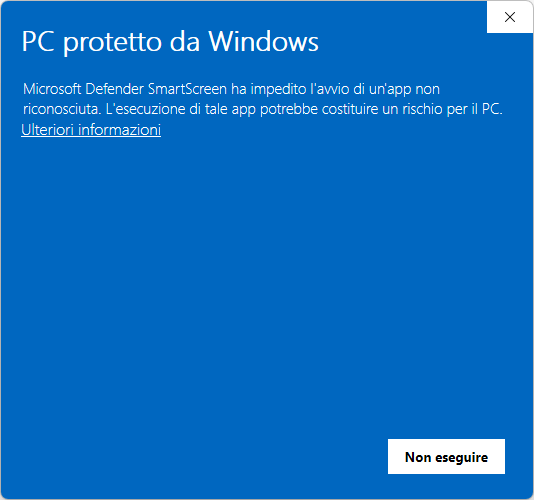
This happens because our launcher does not yet have a certified digital signature, but the file is safe.
To continue with the installation:
- Click “More info”
- The following screen will appear:
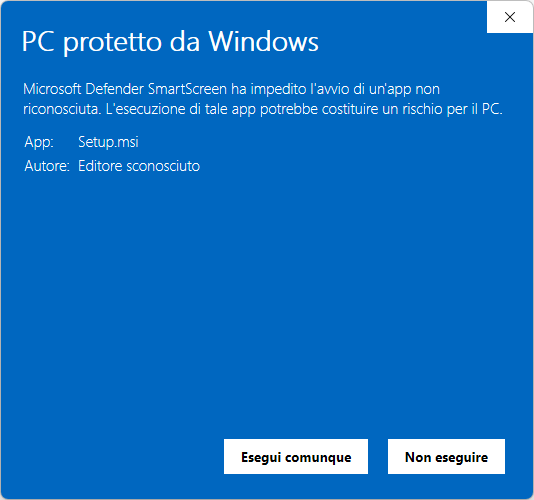
- Click “Run anyway” to start the installation.
Important: If you click “Don’t run”, the launcher will not be installed and you won’t be able to download the game.